 Barton Lake Instruments · Software
Sky Quality Meter Workbench
Record, chart and publish your sky's darkness, every night, from a Unihedron Sky Quality Meter.
Download 1.0.0
Free · Windows 10 and 11 · SQM-LE and SQM-LU
 Barton Lake Instruments · Software
Record, chart and publish your sky's darkness, every night, from a Unihedron Sky Quality Meter.
Sky Quality Meter Workbench connects to your SQM-LE or SQM-LU, records the sky's brightness through the night on a schedule worked out from sunset and twilight at your site, and keeps every reading on your computer.
Look back over a single night or years of them, see how the moon shaped each one, and keep a live chart of tonight's sky on your website.
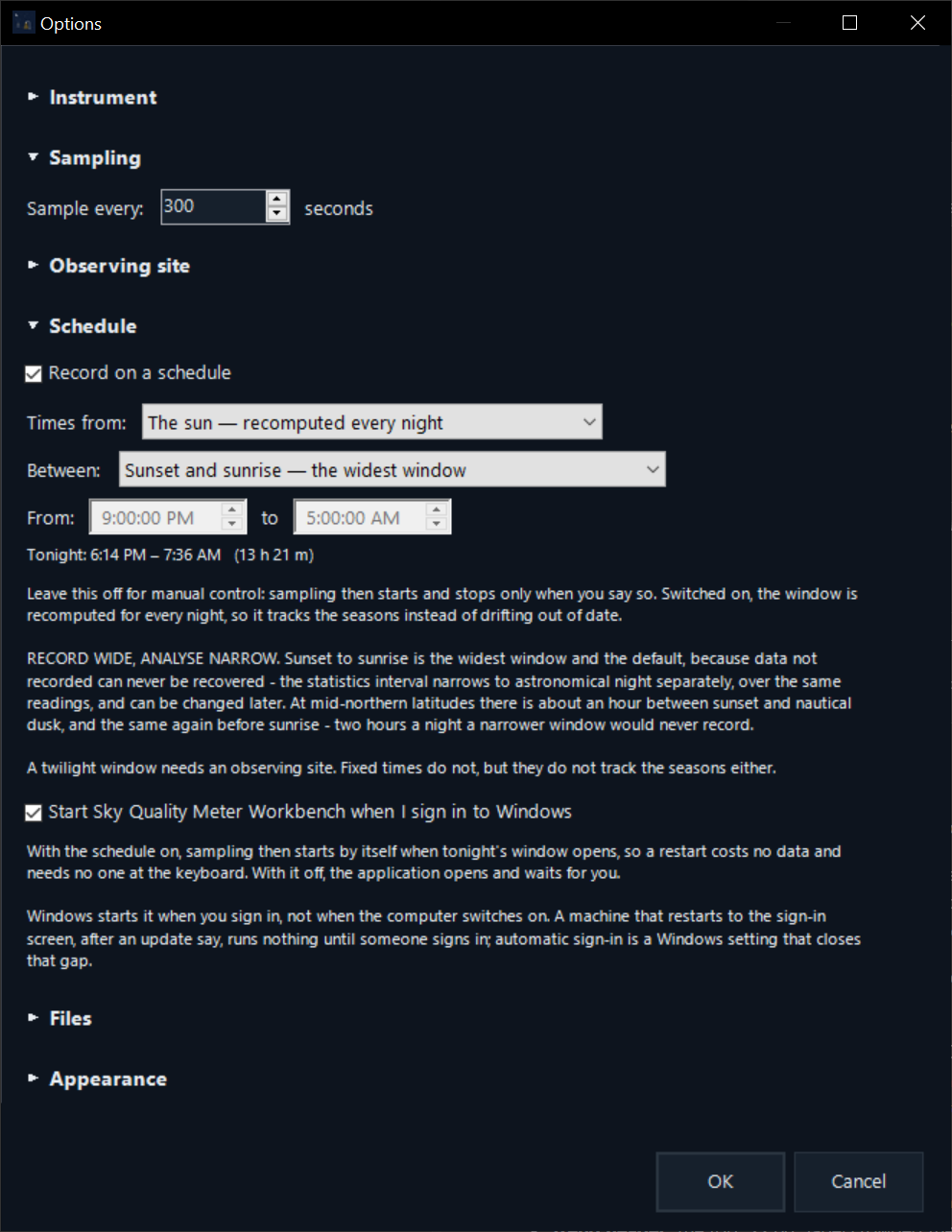
Set your site once. Workbench works out sunset and twilight for every night, starts and stops by itself as the seasons change, and can start with Windows so an observatory computer recovers from a restart.
Readings are stored on your computer with exactly what the meter sent back. Bring in your existing sqm_reading_<date>.txt files, and keep writing them for other software that reads them, such as ASCOM drivers.
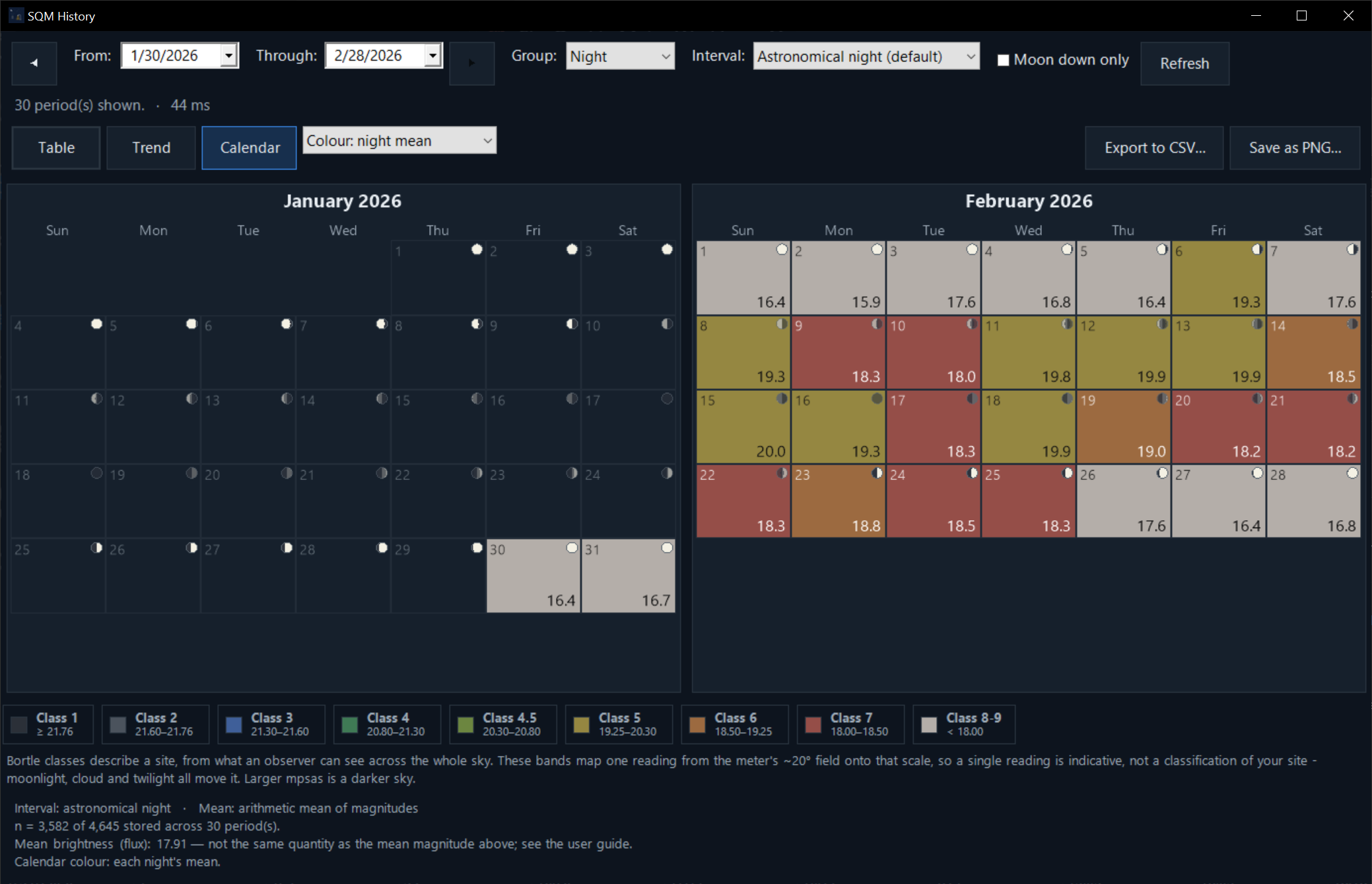
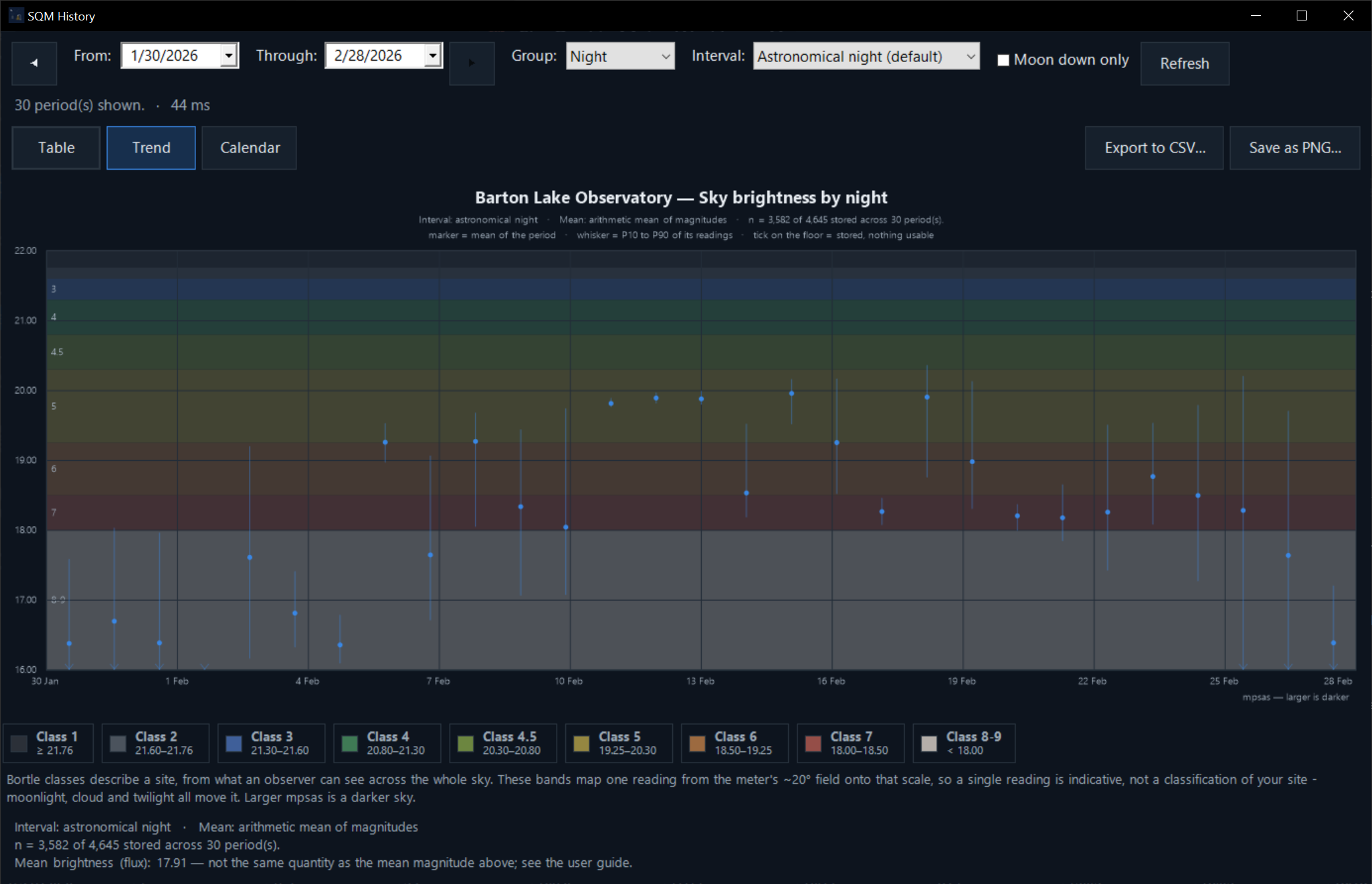
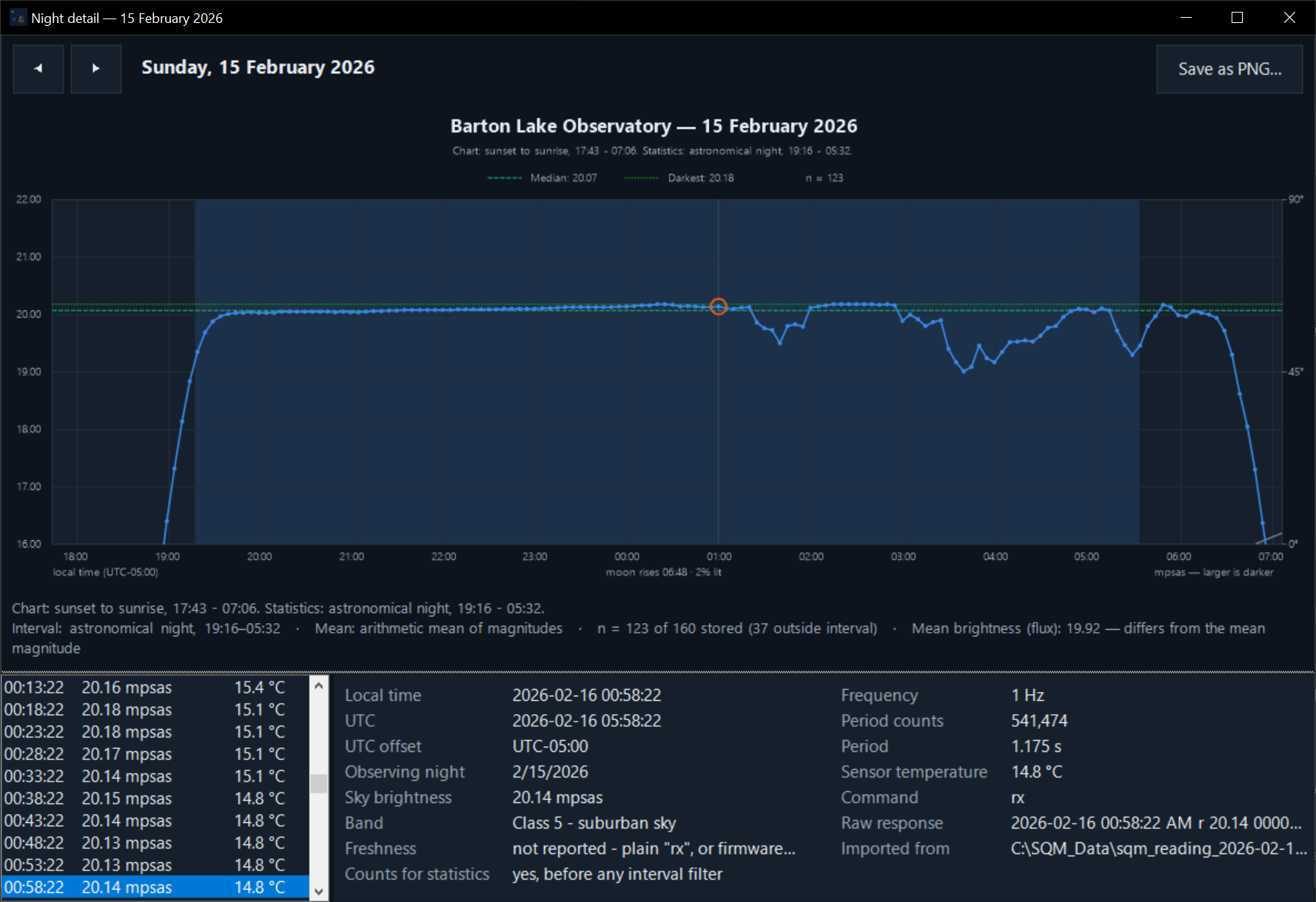
SQM History shows your nights as a table, a trend or a calendar, by night, week, month, season or year, coloured by Bortle class. Open any night to see every reading.
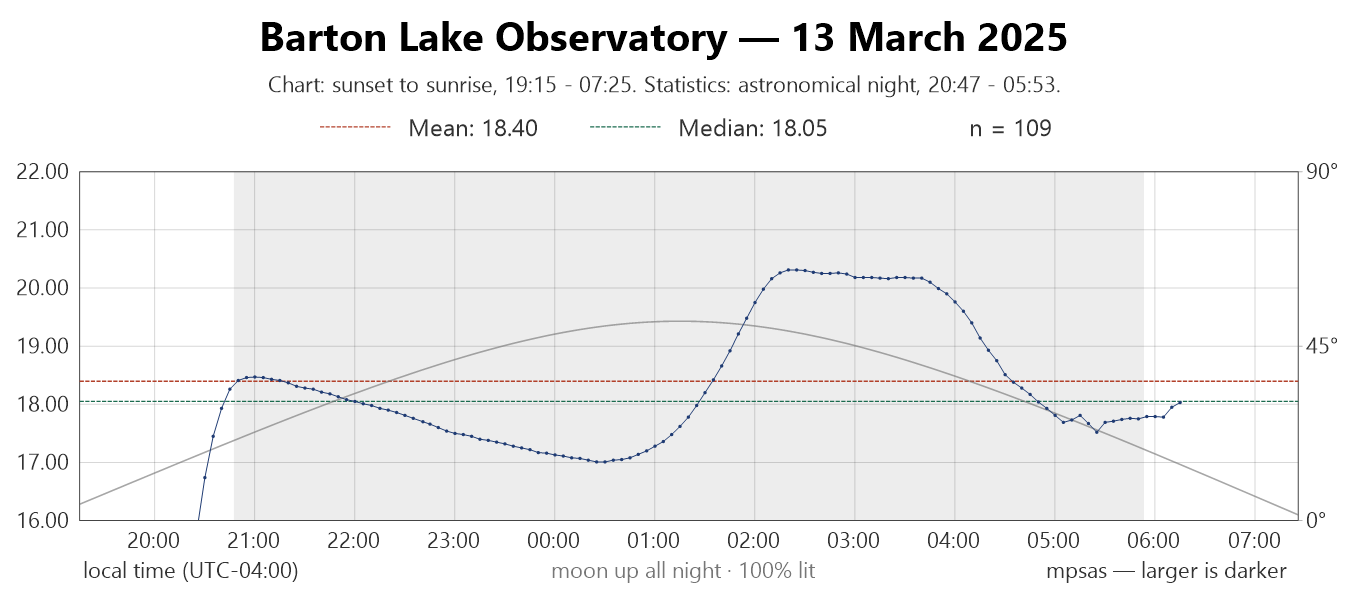
The calendar shows the moon's phase on every date, charts can draw the moon's path across the night, and one tick box leaves out readings taken while the moon was up.
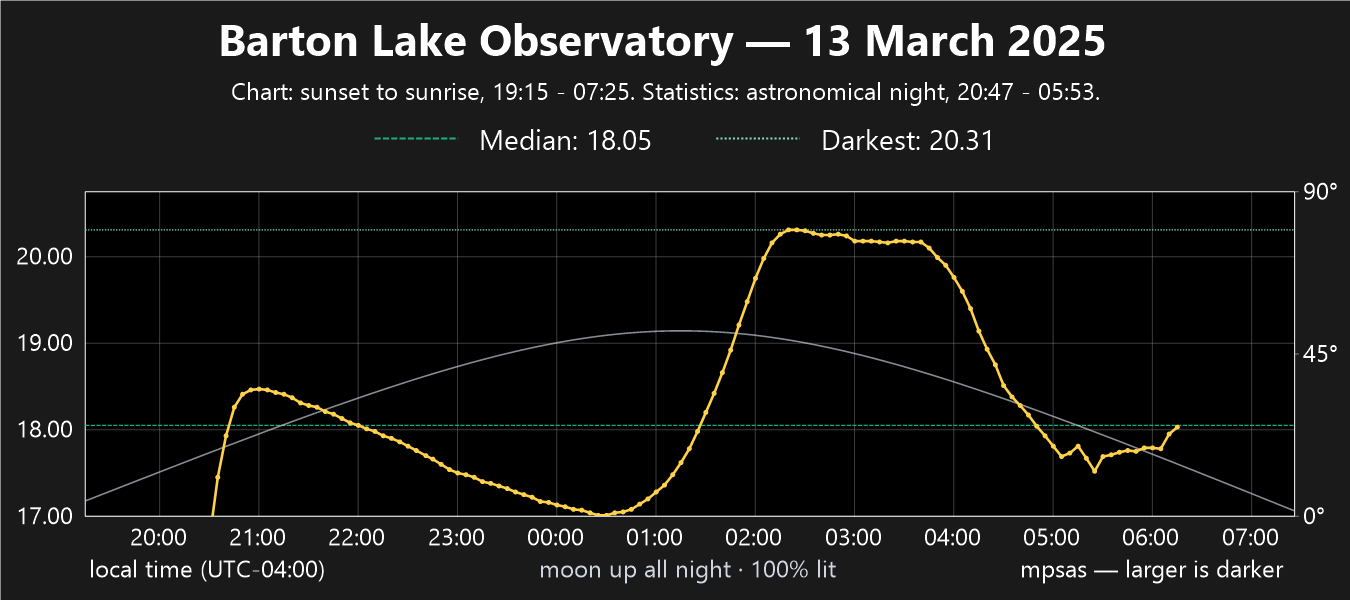
Keep tonight's chart and a small reading card up to date through the night, and upload them to your website by FTP, FTPS, SFTP or Amazon S3.
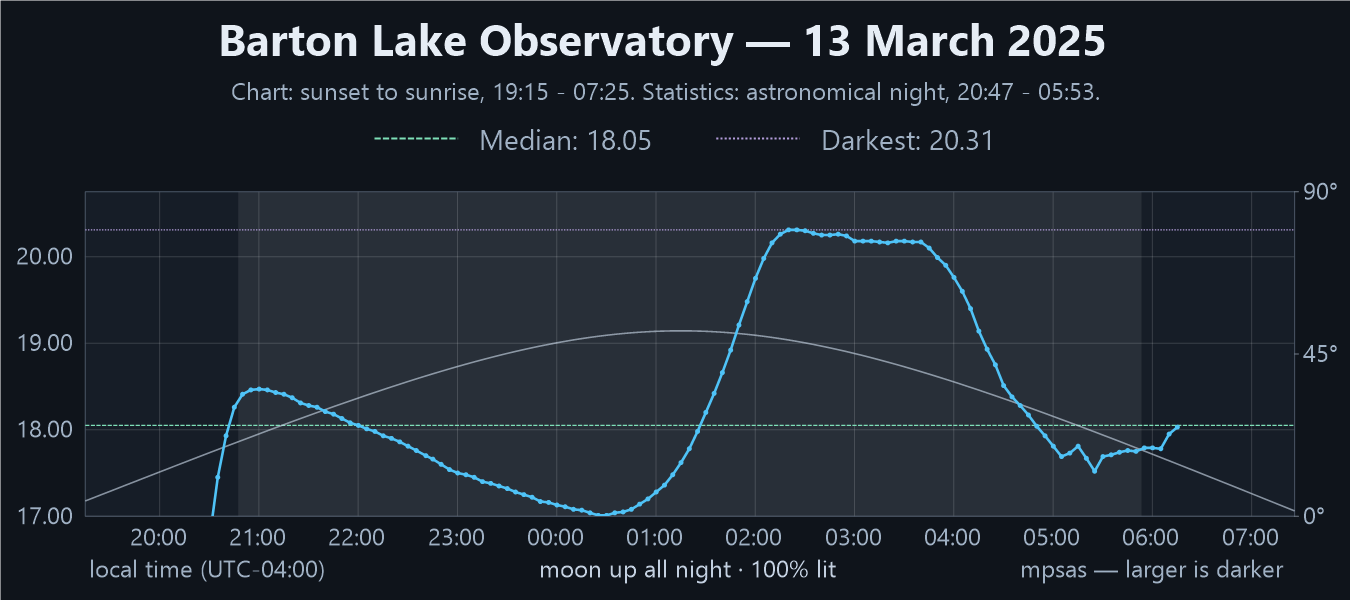
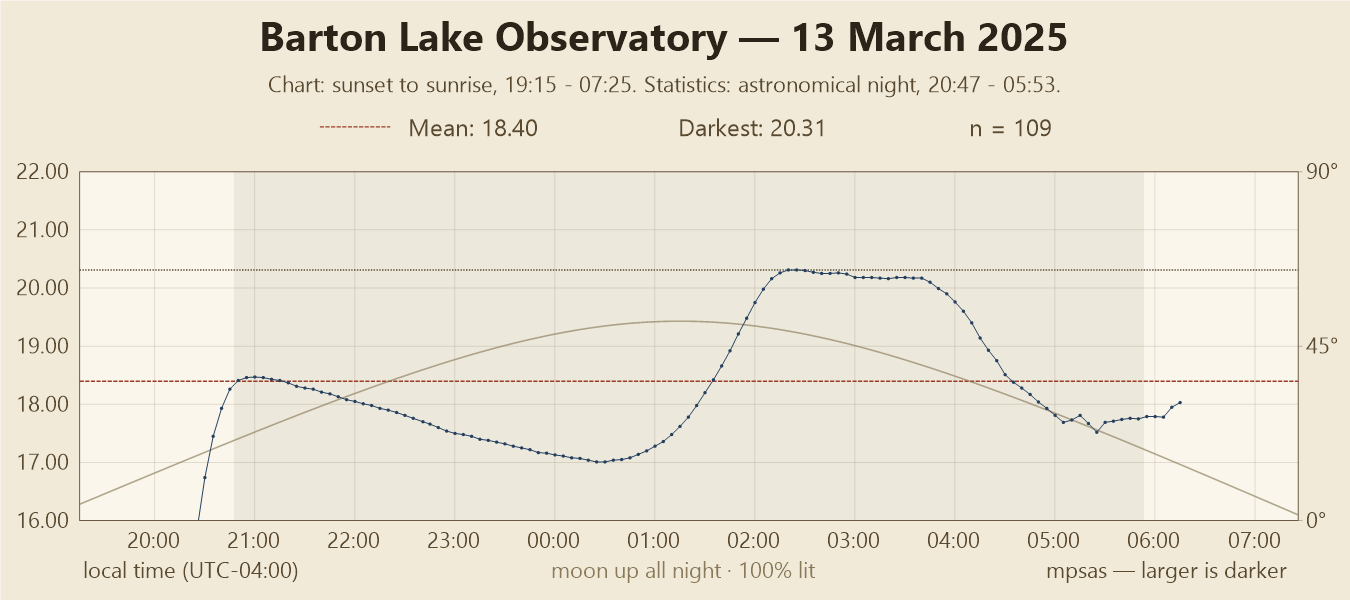
From a high-contrast chart for a website to black and white for print, in light or dark mode.
59.7 MB · Windows 10 and 11, 64-bit. The installer includes everything Workbench needs; installing it needs administrator rights.
Download the installer What's new in 1.0.0 Read the user guideWindows may show “Windows protected your PC” the first time you run the installer. Click More info, then Run anyway.
SHA-256 ED64DE3159AD49EFBC6EB86447E64375B56C008D46CD30B9564D7DF72023652C
Questions, bug reports and feature suggestions are all welcome by email: support@bartonlakeinstruments.com